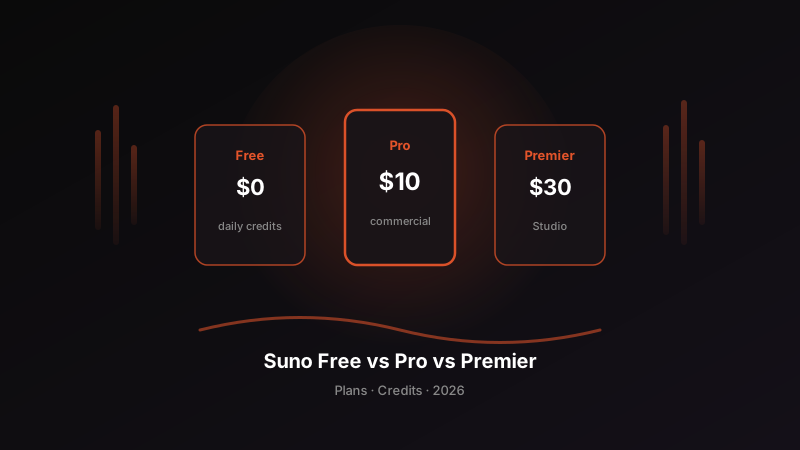
Suno Free vs Pro vs Premier: Which Plan Should You Choose? (2026 Subscription & Credits Guide)
How to choose a Suno membership in 2026: compare the free plan, Pro, and Premier across credits, commercial licensing, stem downloads, and Suno Studio — so you pick the right subscription for your creative goals.
People searching for “Suno membership,” “Suno Pro,” “Suno Premier,” or “Suno free plan” are usually asking the same core question: How much should I pay to use AI songs legally and reliably? In 2026, the Suno AI music generator serves 100 million+ users worldwide, and your subscription tier directly determines credits, downloads, commercial rights, and advanced production capabilities. This article breaks down Suno free vs Pro vs Premier with comparison tables and scenario-based recommendations for short-form video, distribution, and studio workflows — prices and exact quotas should always be verified on the official site; this guide focuses on how to choose and common mistakes.
Why Choosing the Right Suno Subscription Matters More Than Blind Re-Rolls in 2026
Insufficient credits force wasteful re-rolls; missing commercial rights block monetization; lacking stems or Studio stalls professional workflows. Picking the wrong tier wastes more than money — it disrupts your creative rhythm:
| Creator Question | What This Guide Clarifies |
|---|---|
| Can the free plan be used commercially? | Usually no — Pro/Premier required |
| What’s the difference between Pro and Premier? | Credits + Studio / advanced production |
| How do I know if credits are enough? | Estimate by monthly output and retry rate |
| Does upgrading retroactively license old tracks? | Generally determined at generation time |
| Do I need Premier for BGM only? | Pro is enough in most cases |
| Will pricing change? | Yes — check official sources; focus on capability differences |
The value of Suno AI = generation quality × usable permissions. Your subscription determines the latter.
Three-Tier Subscription Comparison (2026 Selection Framework)
The table below is a selection framework. Specific USD pricing, monthly credits, daily free allowances, download availability, and other details should be confirmed on the official Suno site for the current period.
| Dimension | Free Plan | Pro | Premier |
|---|---|---|---|
| Typical positioning | Learning / experimentation | Main tier for most creators | High-volume / studio-oriented |
| Credit model | Often daily-reset credits | Higher monthly credit pool | Highest monthly credit pool |
| Commercial licensing | Usually non-commercial only | Typically includes a commercial path for works generated during the subscription | Same commercial logic as Pro + higher production capacity |
| Download / export | May be limited (per official policy) | More complete official exports | Full export + advanced tools |
| Stems | Usually unavailable or heavily limited | Commonly a paid capability | Paid capability + deeper production |
| Suno Studio | Usually unavailable | Depends on official policy (most advanced features on Premier) | Built for multi-track / advanced editing |
| Priority queue | Standard | Usually included | Usually included with higher throughput |
| Best for | Beginners practicing Suno prompts | Content creators, independent musicians | Batch production, heavy production workflows |
To learn how to write better songs first, read the Prompt Guide and Beginner Tutorial in parallel.
Six Steps to Decide Which Tier You Need
Step 1: Answer “Will I Use This Commercially?”
If any of the following apply, rule out relying on the free plan for ongoing work:
- YouTube / TikTok / livestream commerce monetization
- Client work, brand soundtracks, course sales
- Streaming distribution on Spotify and similar platforms
The free plan is ideal for confirming whether Suno fits your taste; for monetization, treat Pro as the common starting point. See the Distribution Guide for release workflows.
Step 2: Estimate How Many “Usable Tracks” You Actually Need Each Month
Don’t just count “how many generations” — count “how many finished tracks I can actually use”:
| Usage Intensity | Approximate Monthly Goal | Likely Tier |
|---|---|---|
| Light exploration | A few test listens | Free plan |
| Content creator | Several usable BGM tracks or songs per week | Pro |
| High-frequency short video / multiple accounts | Many versions and alternates | Pro or Premier |
| Label-scale batch / studio | Sustained high output + refinement | Premier |
Better prompts mean fewer retries — the same credits yield more finished tracks. Optimize prompts first, then decide whether to upgrade.
Step 3: Assess Whether You Need “Download + Stems + DAW”
- Only need to listen and share on-platform: the free plan may be enough
- Need local files for editing, distribution, or release: usually requires a paid tier
- Need vocal/drum stems for Reaper, Logic, or FL Studio: check Pro/Premier Stems capabilities
- Need in-browser multi-track deep editing: look at Suno Studio (often tied to Premier — confirm with official policy)
For independent musician workflows, see the Independent Musician Guide.
Step 4: Match the Scenario, Not the “Most Expensive” Option
| Scenario | Safer Choice | Why |
|---|---|---|
| Practicing prompts, testing V5.5 sound quality | Free → Pro once confirmed | Validate before paying |
| Short-form video / e-commerce BGM | Pro | Commercial rights + stable exports |
| Podcast / course soundtracks | Pro | Clear commercial path, credits usually sufficient |
| Daily meditation/sleep channel updates | Pro, upgrade to Premier if needed | Depends on monthly volume |
| Multi-track refinement, MIDI/Studio workflows | Premier | Advanced production capabilities |
| Team with multiple high-frequency projects | Premier | Credits and queue priority |
Scenario guides: Short-Form Video, E-Commerce, Meditation & Sleep.
Step 5: Understand “Licensing Is Determined at Generation Time”
The most common trap for creators in 2026:
- Generate on free plan → later upgrade to Pro → no guarantee of retroactive commercial rights on old tracks
- When commercial use is needed, generate during an active paid subscription (or follow official permitted methods)
- Keep generation records, subscription receipts, and export files for platform review and rights protection
Terms update over time — check the official help center before making decisions.
Step 6: Make the Final Choice Based on “This Month’s Goals”
Ask yourself three questions:
- Will I publish or monetize this month? Yes → at least Pro
- Do I regularly hit Pro credit limits? Yes → evaluate Premier
- Do I heavily depend on Studio / advanced multi-track editing? Yes → Premier
For most individual creators, the answer is: Pro.
Credits and Cost: How to Roughly Calculate “Is It Worth It?”
Use this quick mental math (illustrative numbers):
- List how many “publishable finished tracks” you need each month
- Multiply by average retry count (unstable prompts may take 3–5 attempts to keep 1 track)
- Compare whether each tier’s credit pool covers that
- Factor in commercial risk cost: one copyright takedown often costs more than a month of Pro
Bottom line: Instead of forcing commercial use on the free plan, use Pro for compliance and export capabilities; instead of blindly upgrading to Premier, first get your prompts and workflow running smoothly.
Who Is Each Tier Best For?
Free Plan: Best for “Confirming Whether Suno Works for You”
- Learn Simple mode / Custom mode
- Preview different genres and vocal styles
- Non-commercial personal enjoyment
Not suitable for: store advertising, client work, distribution releases, or long-term commercial content.
Pro: Best as the “Default Tier for Serious Creation”
- Short-form video, livestreams, podcasts, ad demos
- Independent musician demos and release preparation
- More stable exports and a clearer commercial path
For most Suno AI users, Pro is the value sweet spot.
Premier: Best When “Volume or Tools Force the Upgrade”
- Monthly output consistently maxes out Pro
- Need Suno Studio or deep multi-track production
- Studio / multiple parallel projects
If you only use basic generation, the marginal benefit of Premier may be limited.
How Does This Fit with Feature Progression?
Subscription answers “can I use it and is there enough?”; features determine “does it sound good and can I refine it?”:
| Capability | Relationship to Subscription | Further Reading |
|---|---|---|
| Prompts | Worth learning at any tier | Prompt Guide |
| Extend | Paid tiers better suited for full-song production capacity | Lyrics & Songwriting Guide |
| Custom Models | Commonly available on higher-tier subscriptions | Custom Models Tutorial |
| Voice cloning | Follow verification and authorization requirements | Voice Cloning |
| V5.5 audio quality | Depends on models available to your account | V5.5 Deep Dive |
See the full capability map in the Complete Suno Guide. For competitor comparison, see Suno vs Udio.
Recommended Decision Workflow
- Try the free plan for 3–7 days: confirm sound quality and prompt feel
- List your commercial use cases: if monetizing, plan for Pro
- Estimate monthly credits by output: include retry buffer
- Confirm export / stem requirements
- Activate Pro and generate commercial tracks during the paid period
- If credits max out for two consecutive months or you need Studio → evaluate Premier
- Review official pricing and terms quarterly
Common Selection Mistakes
- Using free-plan songs directly in ads or commerce: highest licensing risk
- Assuming upgrades retroactively license old tracks: usually they don’t
- Buying Premier upfront: wasted if you don’t use the tools
- Comparing price without comparing retry rate: bad prompts burn any credit pool
- Ignoring download and stem needs: discover export limits at the editing stage
- Not keeping generation and subscription evidence: vulnerable during platform disputes
Additional FAQs
Is Suno Pro annual billing more cost-effective?
If you’re committed long-term, annual billing usually offers a discount — still confirm on official pricing. Starting with monthly billing to validate your workflow is also reasonable.
Do students or hobbyists need Pro?
For personal use with no publishing or monetization, start free; once you upload to monetizable platforms, evaluate Pro.
Can a team share one subscription?
Depends on official account policy and security risks; safer to follow seat/licensing rules and avoid unauthorized sharing.
What if pricing and credits change later?
Always refer to the latest official page. This article provides selection logic: commercial use → Pro; high volume / Studio → Premier.
Recommended Reading
- Complete Guide to the Suno AI Music Generator
- Complete Suno AI Prompt Guide
- Suno AI Music Distribution Guide: Spotify & More
- Suno vs Udio: Which Is Better?
Choosing a Suno subscription is essentially choosing how far your AI music can go. The free plan proves your ideas; Suno Pro lets you create and monetize legally and reliably; Suno Premier is for those who truly max out credits or need Studio. Decide based on commercial needs, monthly output, and export workflow — and in 2026, you’ll spend your budget where it matters most, leaving time for your next great Suno AI track.